
← All WonderLister user guides
eBay Sync is where you pull things down from eBay: your listings and orders, the fees eBay
has charged, your store and business policies, feedback, and the reference data listings are built from. It
opens as a dialog over whatever page you are on, from the
application bar.
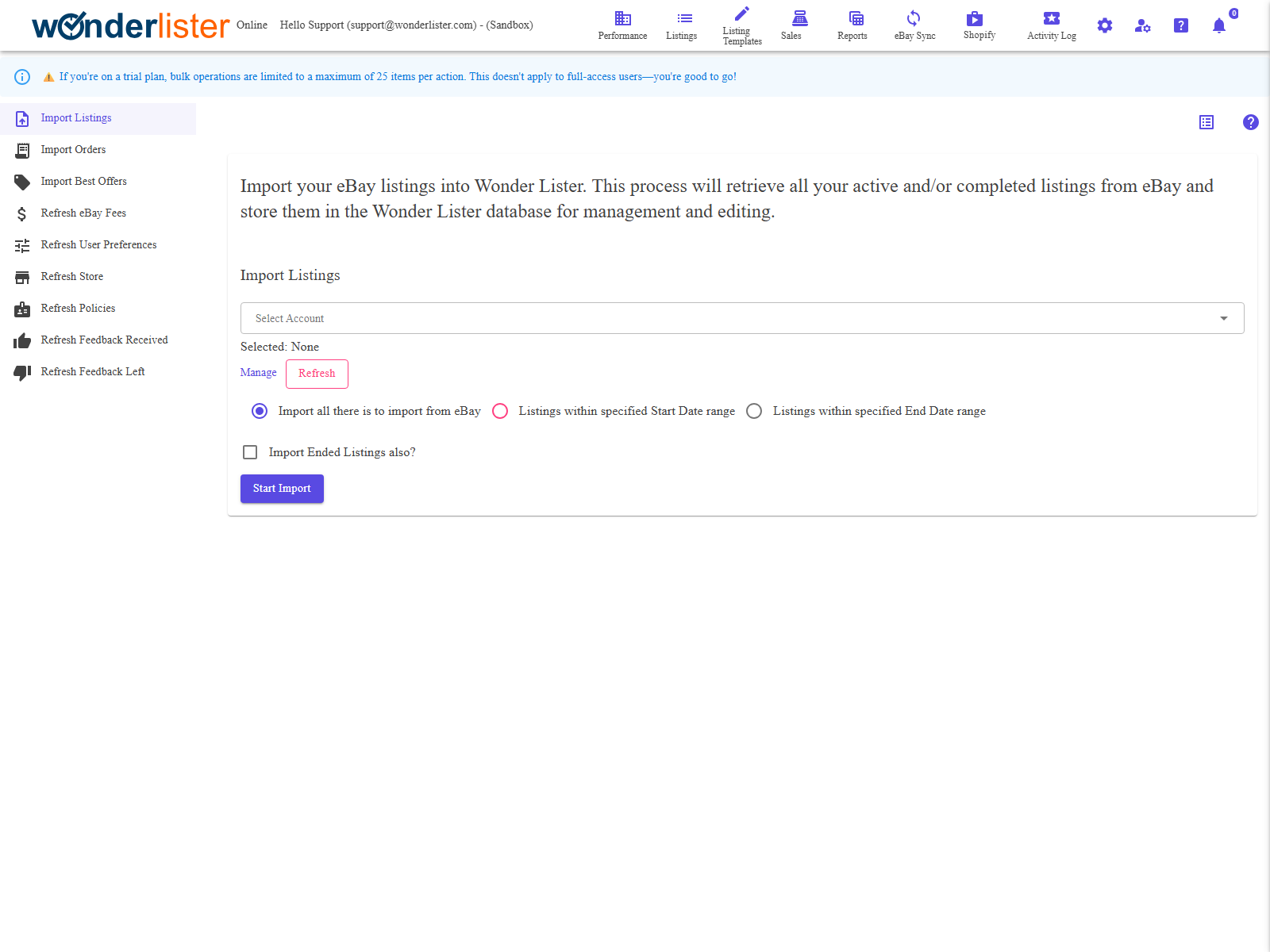
How it is laid out
A list of sections down the left; choosing one shows it on the right. Almost every section is the same
shape — a heading and a Start Refresh button — because the work itself happens in the
background once you press it.
The sections
| Section | What it brings down |
|---|---|
| Import Listings | Your listings from eBay. |
| Import Orders | Your orders. |
| Import Best Offers | Offers buyers have made. |
| Refresh eBay Fees | What eBay has charged you, so profit figures are real. |
| Refresh User Preferences | Your seller settings as eBay holds them. |
| Refresh Store | Your eBay Store and its categories. |
| Refresh Policies | Your payment, shipping and return policies. |
| Refresh Feedback Received | Feedback buyers have left you. |
| Refresh Feedback Left | Feedback you have left. |
| Refresh eBay Details | eBay’s own reference data. Desktop only. |
| Refresh Categories | The category tree and its features. Desktop only. |
| Refresh Item Condition Policies | Which conditions each category allows. Desktop only. |
| Refresh Regulatory Policies | What each category requires by law. Desktop only. |
| Refresh Compatibilities | The parts-fitment data. Desktop only. |
| Refresh GPSR meta data | The EU product-safety reference data. Desktop only. |
Policies, Regulatory Policies, Compatibilities and GPSR meta data are all reference data that the desktop
keeps in its own database. In the online application that data is maintained centrally, so those six are not
drawn at all and nothing is missing from your account because of it.
How a refresh runs
Pressing Start Refresh queues the work and hands you back the application — it does not sit
and wait. The button is disabled while the request is being sent, then the work goes on in the background.
- Watch it in Activity Logs.
- You are e-mailed when it finishes, unless you have turned those e-mails off in
Preferences. - Running it twice does no harm, but it does no good either while the first run is still
going.
What to run, and when
| If | Run |
|---|---|
| Listings on eBay are not in WonderLister | Import Listings |
| An order is missing | Import Orders |
| Profit figures look too good | Refresh eBay Fees |
| A business policy you made on eBay is not offered | Refresh Policies |
| A store category is missing | Refresh Store |
| Feedback is out of date | Refresh Feedback Received or Left |
FAQ
watch it.
because that data is maintained for you.
submitted it, see Listing Submissions — an
unsubmitted edit deliberately holds the refresh off, so your change is not overwritten.
and each page is logged, so Activity Logs shows the progress.
Support
For further assistance you can:
- Email [email protected]
- Use the Contact Us page inside the application
← Back to the User Guide index
Or go to Support, the FAQs, or contact us.