← All WonderLister user guides
A product safety record is the safety warning a listing carries — its pictograms and its safety statements. It is the general-safety counterpart to hazmat, and like hazmat its permitted values come from eBay and differ by marketplace, so every record belongs to one eBay site.
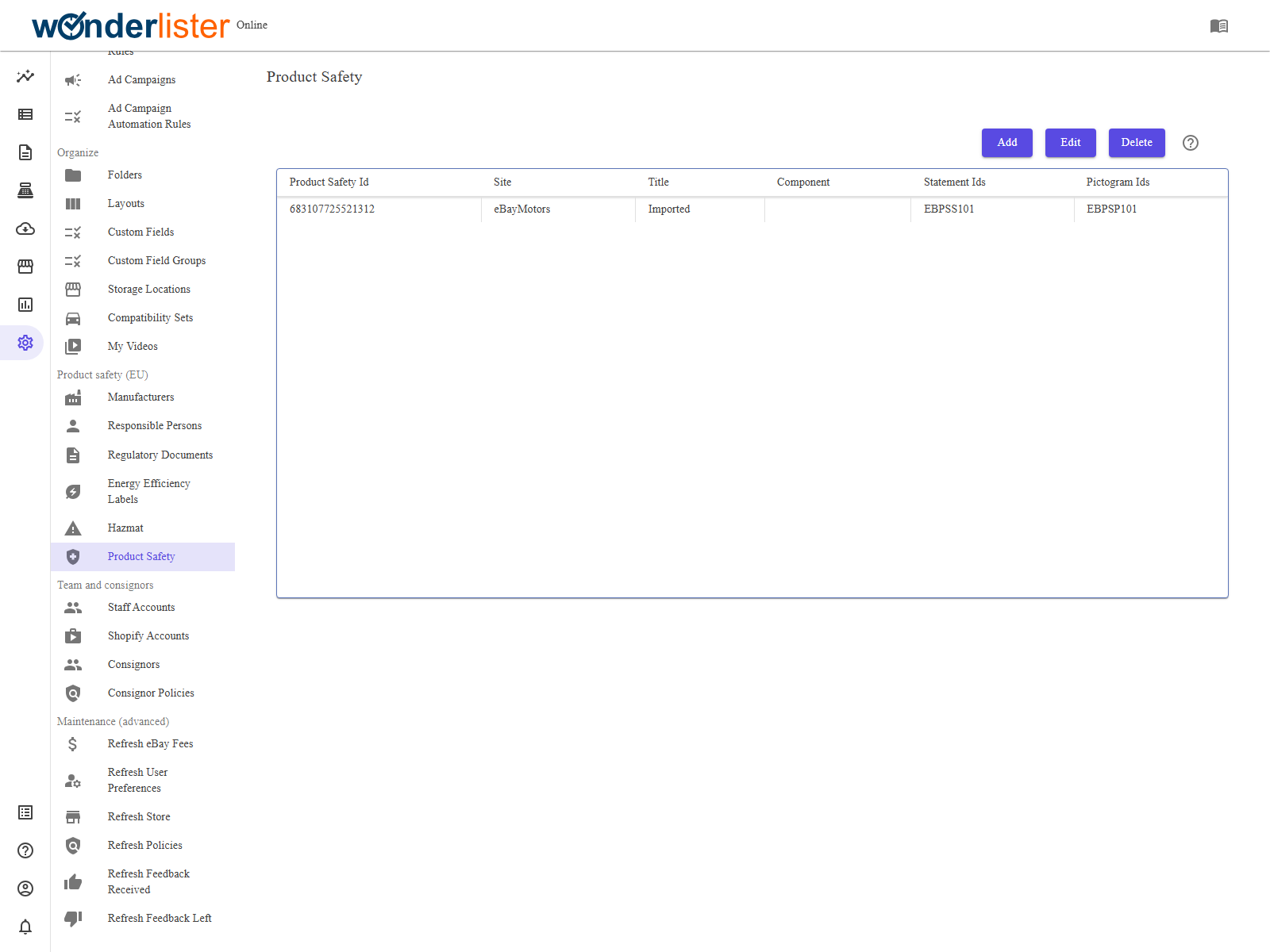
Where to find it
- Click Settings on the left-hand bar. Settings opens on Preferences.
- In the list on the left, under Product safety (EU), click Product Safety.
The Manage link inside the matching block of a listing’s General Product Safety Regulations section opens the same screen too.
What is on screen
| Control | What it does |
|---|---|
| Add | Opens an empty Product Safety Editor. |
| Edit | Opens the selected row. |
| Delete | Removes the selected record, after asking — the question names the component. |
| Help (?) | Opens the in-application help for this screen. |
The columns
| Column | What it holds |
|---|---|
| Product Safety Id | Our identifier. A listing stores this. |
| Site | The eBay site the record was built for. |
| Title | Your own name for the record, and what the picker on a listing shows. |
| Component | The part or substance the warning is about. Up to 50 characters. |
| Statement Ids | The chosen statements, as eBay’s codes. |
| Pictogram Ids | The chosen pictograms, as eBay’s codes. |
How to add a record
- Click Add.
- Choose the eBay site.
- Give the record a title, and a component if one applies.
- Choose up to two pictograms and up to eight statements.
- Click Save.
How to change or remove one
- Click the row to select it.
- Click Edit, or Delete and answer Yes, I’m sure.
FAQ
What is the difference between this and hazmat?
Hazmat is for hazardous materials and carries a signal word; product safety is the general warning and does not. A product can need both, and the two are separate blocks on the listing.
Why isn’t my record offered on a listing?
It was made for another eBay site. Make one for the site the listing is on.
Where do the pictograms come from?
eBay publishes them per site. The desktop application refreshes them with Refresh GPSR meta data.
Two pictograms only?
Two is eBay’s limit for this block. Hazmat allows four.
Support
For further assistance you can:
- Email support@wonderlister.com
- Use the Contact Us page inside the application
← Back to the User Guide index
Or go to Support, the FAQs, or contact us.