
← All WonderLister user guides
The General Product Safety Regulations section is where a listing carries the safety and
compliance information that European law requires of products sold to consumers in the EU and Northern
Ireland — who made the item, who is responsible for it inside the EU, its safety warnings, any hazardous
material handling, and its energy and repairability ratings.
Each block on this section is a picker: the records themselves are created once on their own
management screens and then attached to as many listings as they apply to. That is the point — a
manufacturer or a responsible person is defined once, not retyped per listing.
Where to find it
Open a listing in the editor and scroll to General Product Safety Regulations, the last
section on the page, or click it in the editor’s left-hand section list.
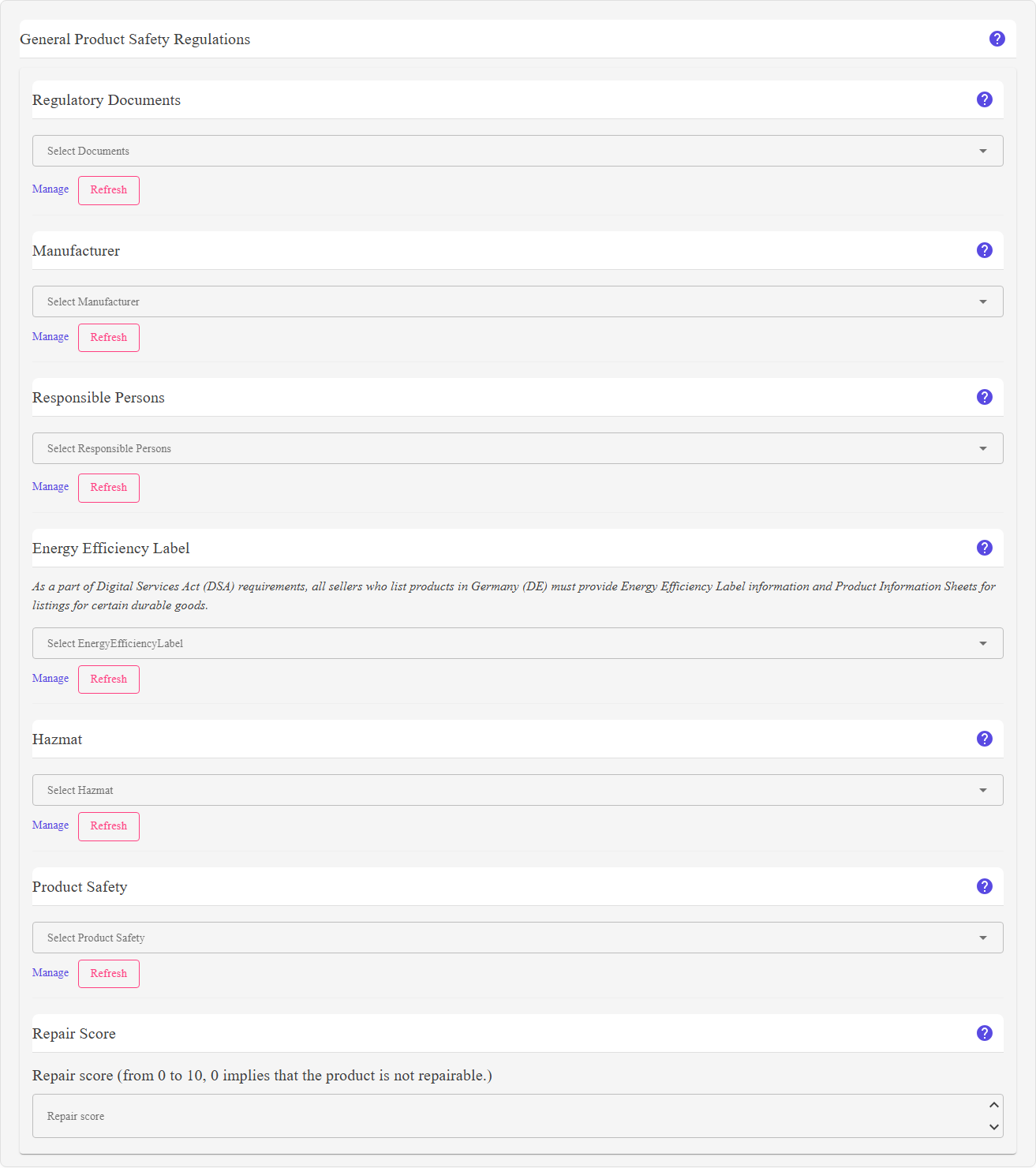
What is on this section
| Block | What it is for |
|---|---|
| Regulatory Documents |
Documents attached to the listing — declarations of conformity, safety data sheets, manuals. Uploaded and managed from Manage Regulatory Documents, and held against the eBay account rather than the listing. |
| Manufacturer | Who made the product, with their contact address. Defined on Manage Manufacturers. |
| Responsible Persons |
The person or business inside the EU accountable for the product’s compliance — the importer or an authorised representative when the manufacturer is outside the EU. More than one can be attached. Defined on Manage Responsible Persons. |
| Energy Efficiency Label | The EU energy label and product information sheet, for goods that require one. Defined on Manage Energy Efficiency Labels. |
| Hazmat |
Hazardous material information — pictograms, signal words, hazard and precautionary statements. The choices depend on the listing’s eBay site. Defined on Manage Hazmats. |
| Product Safety |
Safety pictograms, statements and warnings. Also site-dependent. Defined on Manage Product Safety. |
| Repair score |
A number from 0 to 10, one decimal place. The section states the rule on screen: 0 implies that the product is not repairable. Required for certain product groups in France. |
depend on the marketplace, so choose the site in Account & Site first.
How to use it
- Create the records first. Use the Manage link inside each block, or
the management pages, to define your manufacturers, responsible persons and the rest. You only do this
once. - Attach what applies to this listing by choosing it in each block. Blocks that do not
apply to the product can be left empty. - Set the repair score if the product falls under the French repairability rules.
- Save the listing.
FAQ
enforces its own requirements per marketplace and category, and will reject a listing that is missing
something it insists on.
Manage link.
first. In the desktop application, eBay Sync → Refresh GPSR meta data pulls the
current lists from eBay.
index for the product. Zero means the product cannot be repaired.
selection.
Support
For further assistance you can:
- Email [email protected]
- Use the Contact Us page inside the application
← Back to the User Guide index
Or go to Support, the FAQs, or contact us.