
← All WonderLister user guides
Adds or changes one custom field group — a heading, and the custom fields gathered under it.
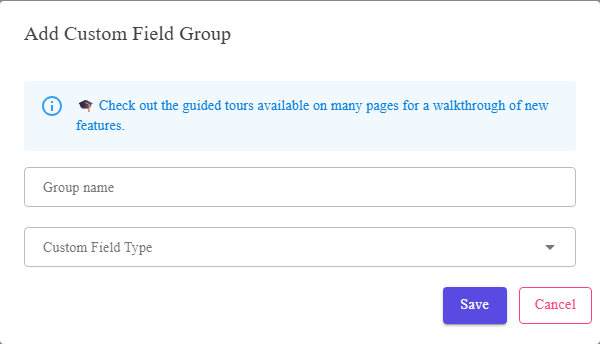
The group name, its type, and the field picker.
Where to find it
Add or Edit on the
Custom Field Groups page.
The fields
| Field | What it is |
|---|---|
| Group name | The heading the fields will appear under. |
| Custom Field Type | Products, Sales or Consignors. It decides which fields the picker below will offer, so choose it first. |
| Select Fields | The custom fields to put in this group. Only fields of the chosen type are listed. |
Set the type before picking fields. The field picker is filtered by it, and changing the type
afterwards leaves you choosing from a different list.
afterwards leaves you choosing from a different list.
FAQ
Q: The field list is empty.
A: Either you have no custom fields of the chosen type, or the type is not set yet.
Create fields on Custom Fields first.
Create fields on Custom Fields first.
Q: Can I reorder the fields in a group?
A: The group’s job is to gather them under one heading. For the order of columns in a
grid, use Manage Layouts.
grid, use Manage Layouts.
Q: What happens to the fields if I delete the group?
A: Nothing — they and their data stay. Only the grouping goes.
Support
For further assistance you can:
- Email [email protected]
- Use the Contact Us page inside the application
← Back to the User Guide index
Or go to Support, the FAQs, or contact us.