← All WonderLister user guides
A manufacturer record is the name and contact address of whoever made the product. EU product safety rules require a listing to say who that is, and the record is defined once here and then attached to every listing it applies to.
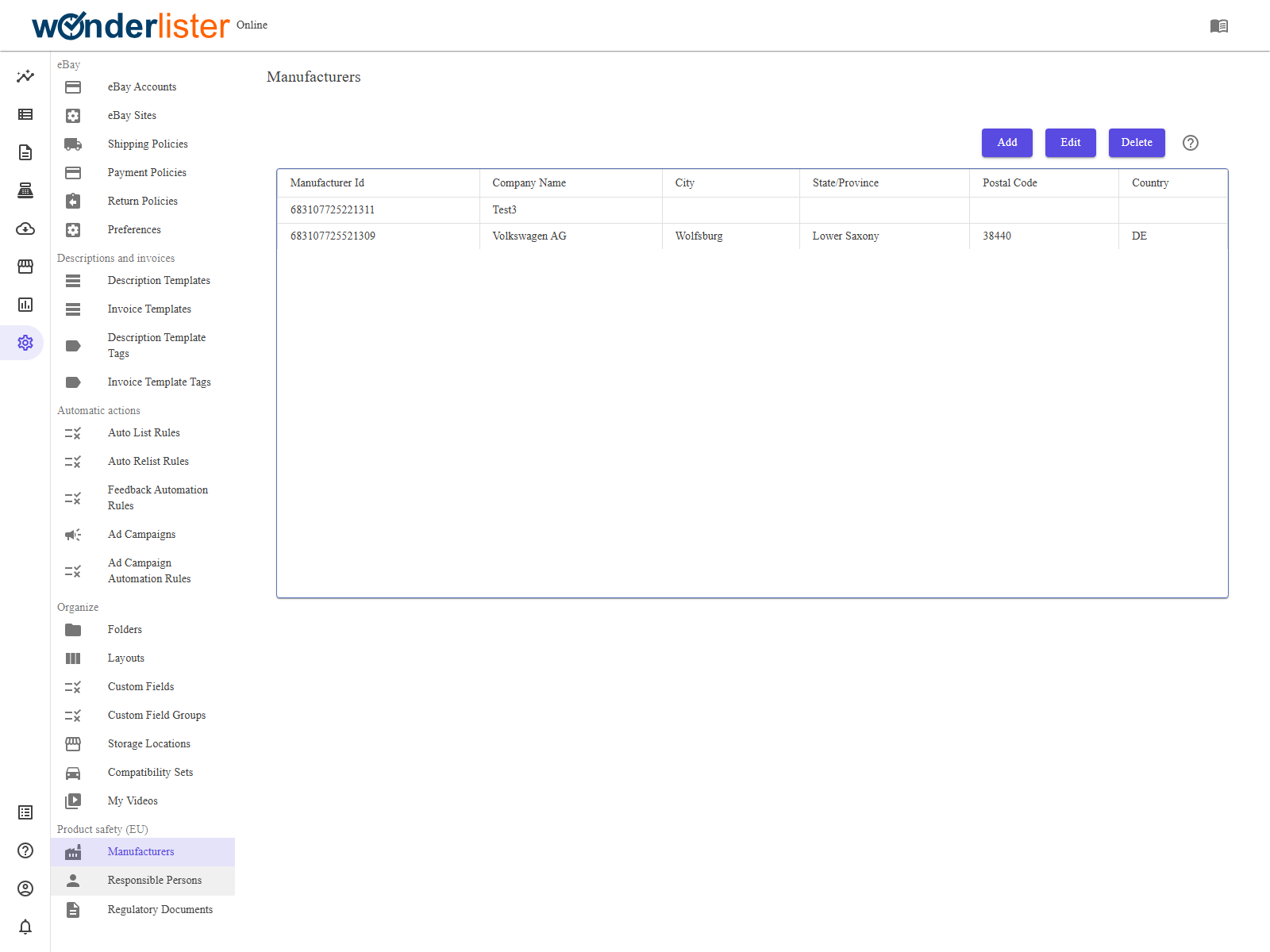
Where to find it
- Click Settings on the left-hand bar. Settings opens on Preferences.
- In the list on the left, under Product safety (EU), click Manufacturers.
The Manage link inside the matching block of a listing’s General Product Safety Regulations section opens the same screen too.
What is on screen
| Control | What it does |
|---|---|
| Add | Opens an empty Manufacturer Editor. |
| Edit | Opens the selected row in the editor. With nothing selected it says Please select a manufacturer. |
| Delete | Removes the selected record, after asking. |
| Help (?) | Opens the in-application help for this screen. |
The columns
The table shows Manufacturer Id, Company Name, City, State/Province, Postal Code and Country. The id is ours and is what a listing stores; the rest is there so you can tell two records apart at a glance.
How to add a manufacturer
- Click Add. The editor opens empty.
- Fill in the company name and address.
- Click Save in the editor. It closes.
- The record is saved and the message Manufacturer successfully saved appears above the table.
How to change or remove one
- Click the row to select it. The row is highlighted.
- Click Edit to open it, or Delete to remove it.
- Delete asks Are you sure you want to delete manufacturer… and names the company. Answer Yes, I’m sure or Never mind.
FAQ
Why do Edit and Delete do nothing?
Neither works until a row is selected. Click the row first — it highlights.
What do I enter if I am the manufacturer?
Then enter your own business details. The record is about the product, not about who is selling it.
How do I put this on a listing?
In the listing’s GPSR section, choose it in Select Manufacturer, then save the listing.
Can I delete one that is in use?
The screen will let you. The listings that referred to it will no longer name a manufacturer, so re-list them only after choosing another.
Support
For further assistance you can:
- Email support@wonderlister.com
- Use the Contact Us page inside the application
← Back to the User Guide index
Or go to Support, the FAQs, or contact us.