
← All WonderLister user guides
A tag is a placeholder you put in an invoice template that is replaced with the real order
details when the invoice is produced. This is where a tag is defined.
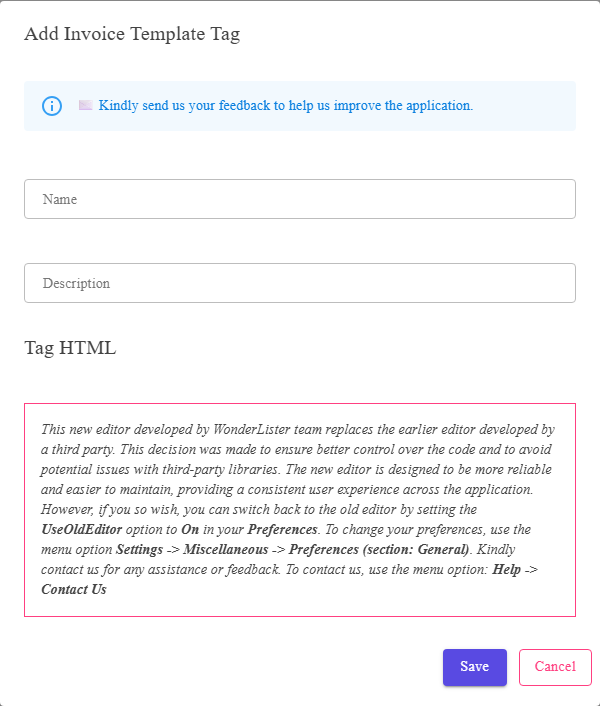
The tag name, its description, and the HTML the tag stands for.
Where to find it
The Invoice Template Tags page, from the settings menu. Add a new tag or edit an existing one.
The fields
| Field | What it is |
|---|---|
| Name | How the tag appears in the Tags you can insert list in the invoice template editor. |
| Description | What it is for. |
| The HTML box | The HTML the tag stands for. |
| Save | Stores the tag. |
| Cancel | Closes without saving. |
Invoice tags and description tags are separate. They are managed on different pages and
offered in different editors — a tag made here is for invoices, not for listing descriptions.
offered in different editors — a tag made here is for invoices, not for listing descriptions.
FAQ
Q: Can I use a description template tag on an invoice?
A: No — the two sets are separate. Create the equivalent tag here.
Q: Where do I use a tag?
A: In the Invoice Template Editor, through
Tags you can insert and Insert.
Tags you can insert and Insert.
Q: What happens if I delete a tag a template uses?
A: The template is left referring to something that no longer exists. Edit the
templates first.
templates first.
Support
For further assistance you can:
- Email [email protected]
- Use the Contact Us page inside the application
← Back to the User Guide index
Or go to Support, the FAQs, or contact us.