← All WonderLister user guides
Where a description template is written. It is an HTML editor with one extra thing: a list of tags you can drop in, which are replaced with the listing’s own details when it goes to eBay.
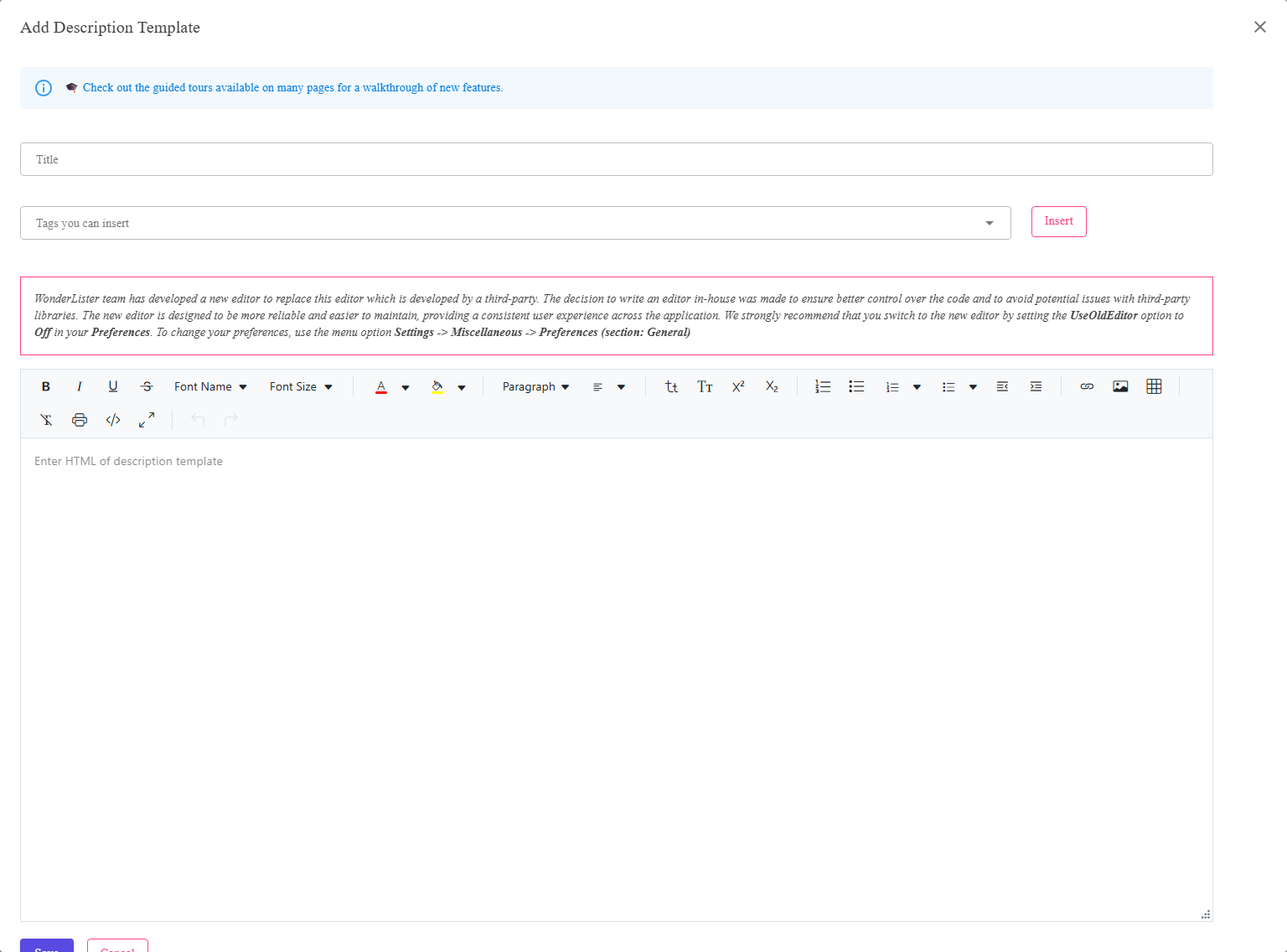
Where to find it
Add or Edit on the Description Templates page.
What is in the editor
| Control | What it does |
|---|---|
| Title | What the template is called — what you will pick from on a listing. |
| Tags you can insert | The tags available to you. Choose one and press Insert to drop it in at the cursor. |
| Insert | Puts the chosen tag into the template where the cursor is. |
| The HTML box | The template itself. It is HTML — the same HTML eBay will show the buyer. |
| Save | Stores the template. |
| Cancel | Closes without saving. |
Writing a template
- Lay out the parts that never change — your heading, your postage and returns wording, your branding.
- Insert a tag wherever the item’s own details belong.
- Save, then Preview from the Description Templates page to see it filled in.
FAQ
Why is the tag list empty or missing what I need?
Tags are defined on Description Template Tags.
Do I have to write HTML?
The box is HTML. If you would rather not, keep the template simple and write the per-item wording in the listing’s own description, which has a rich text editor.
Why does my template look wrong on a phone?
Most eBay traffic is mobile. Avoid fixed pixel widths and wide tables, and let images scale.
Can I copy a template?
Open it, copy the HTML, then create a new template and paste it in under a different title.
Support
For further assistance you can:
- Email support@wonderlister.com
- Use the Contact Us page inside the application
← Back to the User Guide index
Or go to Support, the FAQs, or contact us.