
← All WonderLister user guides
Where a description template is written. It is an HTML editor with one extra thing: a list of
tags you can drop in, which are replaced with the listing’s own details when it goes to
eBay.
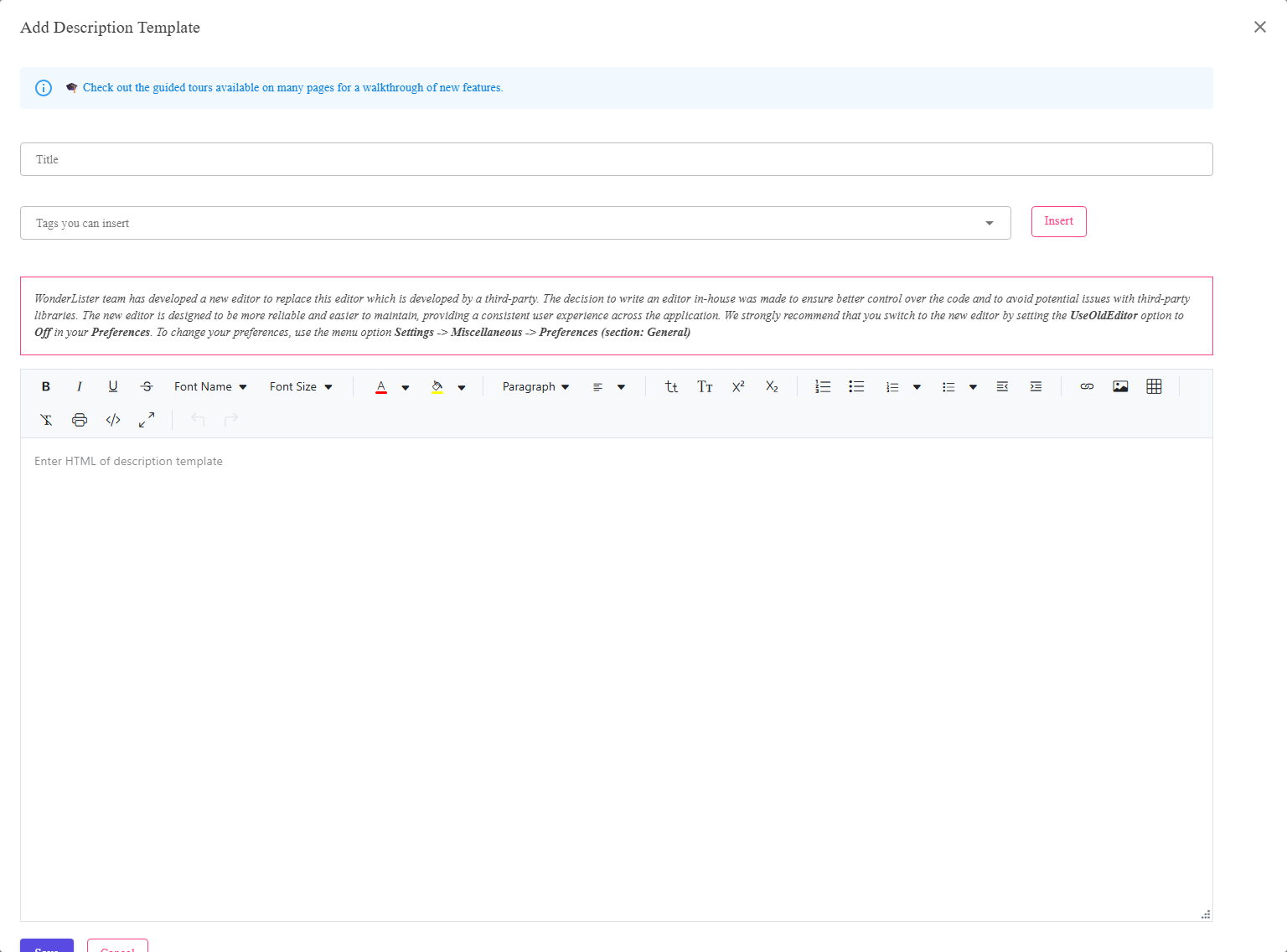
The title, the tag picker with its Insert button, and the HTML editor.
Where to find it
Add or Edit on the
Description Templates page.
What is in the editor
| Control | What it does |
|---|---|
| Title | What the template is called — what you will pick from on a listing. |
| Tags you can insert | The tags available to you. Choose one and press Insert to drop it in at the cursor. |
| Insert | Puts the chosen tag into the template where the cursor is. |
| The HTML box | The template itself. It is HTML — the same HTML eBay will show the buyer. |
| Save | Stores the template. |
| Cancel | Closes without saving. |
Insert puts the tag where the cursor is. Click into the HTML at the point you want it before
pressing Insert, or the tag will land wherever the cursor happened to be.
pressing Insert, or the tag will land wherever the cursor happened to be.
Writing a template
- Lay out the parts that never change — your heading, your postage and returns wording,
your branding. - Insert a tag wherever the item’s own details belong.
- Save, then Preview from the Description Templates page to see it filled
in.
eBay does not allow everything HTML does. Active content — script, forms, most embedded
media — is stripped or refused on listings. Keep to layout, text and images.
media — is stripped or refused on listings. Keep to layout, text and images.
FAQ
Q: The tag list is empty or missing what I need.
A: Tags are defined on
Description Template Tags.
Description Template Tags.
Q: Do I have to write HTML?
A: The box is HTML. If you would rather not, keep the template simple and write the
per-item wording in the listing’s own description, which has a
rich text editor.
per-item wording in the listing’s own description, which has a
rich text editor.
Q: My template looks wrong on a phone.
A: Most eBay traffic is mobile. Avoid fixed pixel widths and wide tables, and let
images scale.
images scale.
Q: Can I copy a template?
A: Open it, copy the HTML, then create a new template and paste it in under a
different title.
different title.
Support
For further assistance you can:
- Email [email protected]
- Use the Contact Us page inside the application
← Back to the User Guide index
Or go to Support, the FAQs, or contact us.