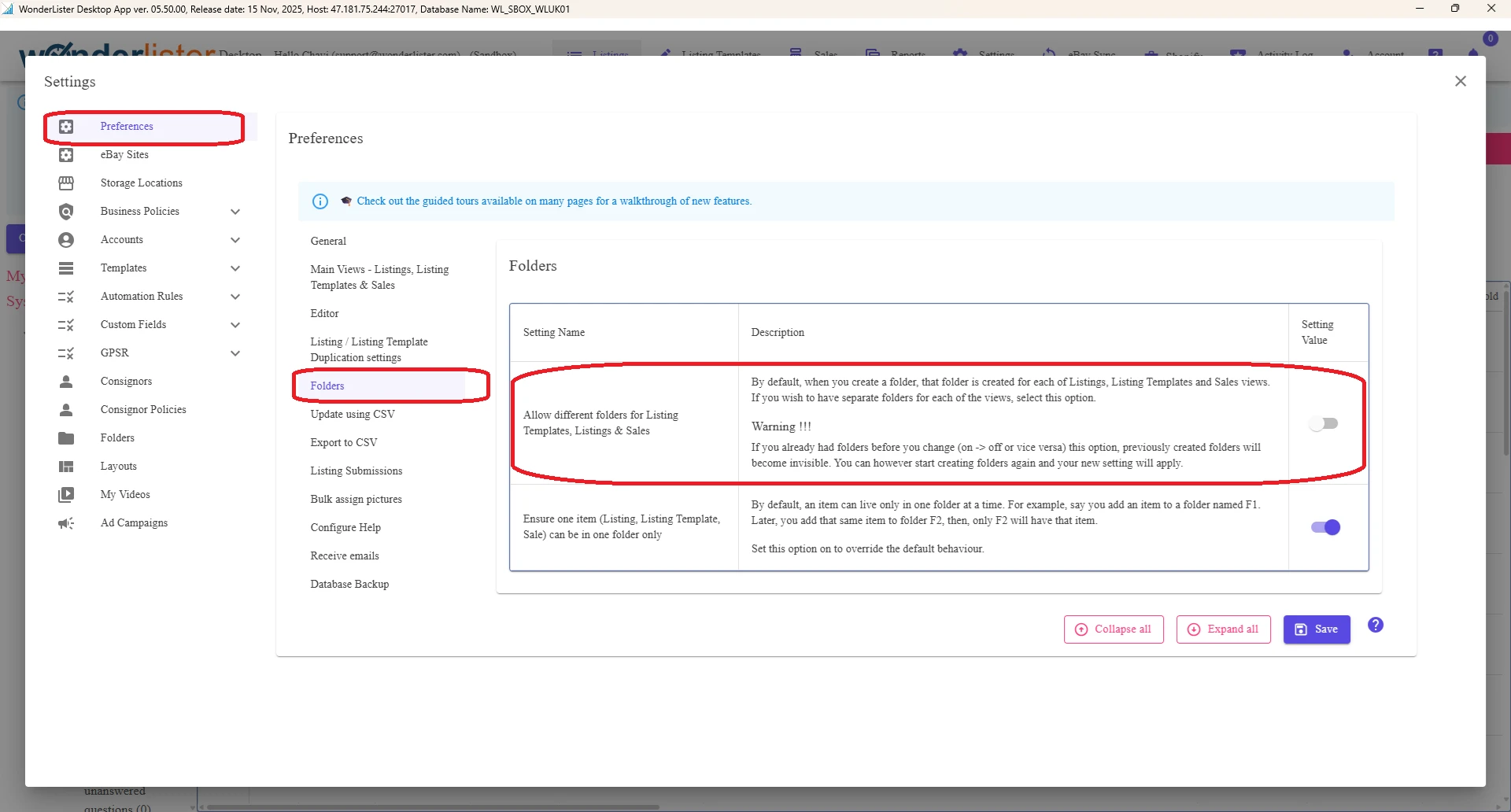
A very common question we are asked “Can I create my own folders in WonderLister”? Short answer – Yes, you absolutely can. However, please note, WonderLister’s default settings use the same set of user-defined folders for all the main views. You can change your settings to change this behavior.
But please be advised that if you already have created your own folders and then decide to change this setting, previously created folders will no longer be available for use.
Please follow these steps, if you wish to have individual set of user-defined folders for your main views:
- Click on “Settings” option on the main menu bar
- “Settings” page will be displayed.
- Click on “Preferences” option on the left
- “Preferences” subpage is displayed
- Click on the option “Folders” on the left side of the subpage
- In the table that is displayed, you will see an entry for “Allow different folders for Listing Templates, Listings & Sales“
- Use the slider on the right to turn On/Off the option.
- Finally, click on the “Save” button