
← All WonderLister user guides
Identifiers are the standard product codes eBay uses to recognise what an item actually
is: barcodes, the manufacturer’s part number and the brand. eBay requires them in many categories, and
supplying them correctly is what lets your listing join eBay’s product catalogue and appear alongside
other offers for the same product.
Where to find it
Open a listing in the editor and scroll to Identifiers, or click it in the editor’s
left-hand section list.
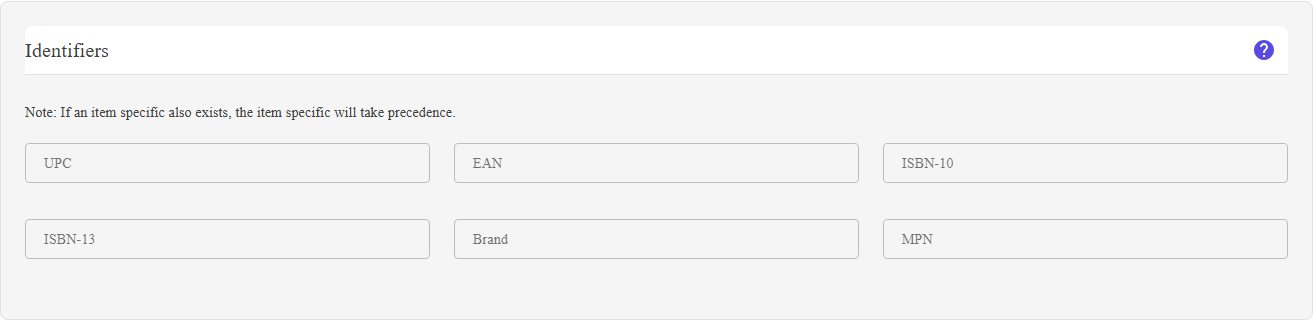
The six identifier fields: UPC, EAN, ISBN-10, ISBN-13, Brand and MPN.
What is on this section
| Field | What it is |
|---|---|
| UPC | Universal Product Code — the 12-digit barcode used in North America. |
| EAN | European Article Number — the 13-digit barcode used in Europe and most of the rest of the world. |
| ISBN-10 | The older ten-character book number, for books published before 2007. |
| ISBN-13 | The current thirteen-digit book number. |
| Brand | The manufacturer’s brand name. |
| MPN | Manufacturer Part Number — the maker’s own code for the product. Together with the brand it identifies a product that has no barcode. |
An item specific of the same name wins. The section says so on screen: “If an item
specific also exists, the item specific will take precedence.” So if the listing has a
Brand or MPN item specific, that is the value eBay receives, and the box here is
ignored. Set one or the other, not both.
specific also exists, the item specific will take precedence.” So if the listing has a
Brand or MPN item specific, that is the value eBay receives, and the box here is
ignored. Set one or the other, not both.
How to use it
- Enter the barcode the product carries — UPC for a North American barcode, EAN for a
European one. You do not need both. - For books, use ISBN-10 or ISBN-13 instead.
- For an item with no barcode, fill in Brand and MPN
together — that pair is how eBay identifies such products. - For a genuinely unbranded or handmade item, eBay accepts the value
Does not applywhere a category insists on an identifier.
FAQ
Q: The section is not in my editor.
A: Hide unique IDs is on in the editor options in
Preferences. Turn it off.
Preferences. Turn it off.
Q: eBay rejected my listing for a missing identifier.
A: Some categories require a UPC, EAN or the Brand/MPN pair. Fill in whichever the
product has; for an item that genuinely has none,
product has; for an item that genuinely has none,
Does not apply is the accepted value.Q: I filled in Brand here but eBay shows something else.
A: The listing also has a Brand item specific, and the item specific takes
precedence. Change it in Item Specifics.
precedence. Change it in Item Specifics.
Q: Do I need both UPC and EAN?
A: No. Enter the code the product actually carries.
Q: Can these be filled in automatically?
A: Yes — matching the listing to an eBay catalog product from
Account & Site brings the identifiers across with the rest of the
product data.
Account & Site brings the identifiers across with the rest of the
product data.
Support
For further assistance you can:
- Email [email protected]
- Use the Contact Us page inside the application
← Back to the User Guide index
Or go to Support, the FAQs, or contact us.